 Lingoala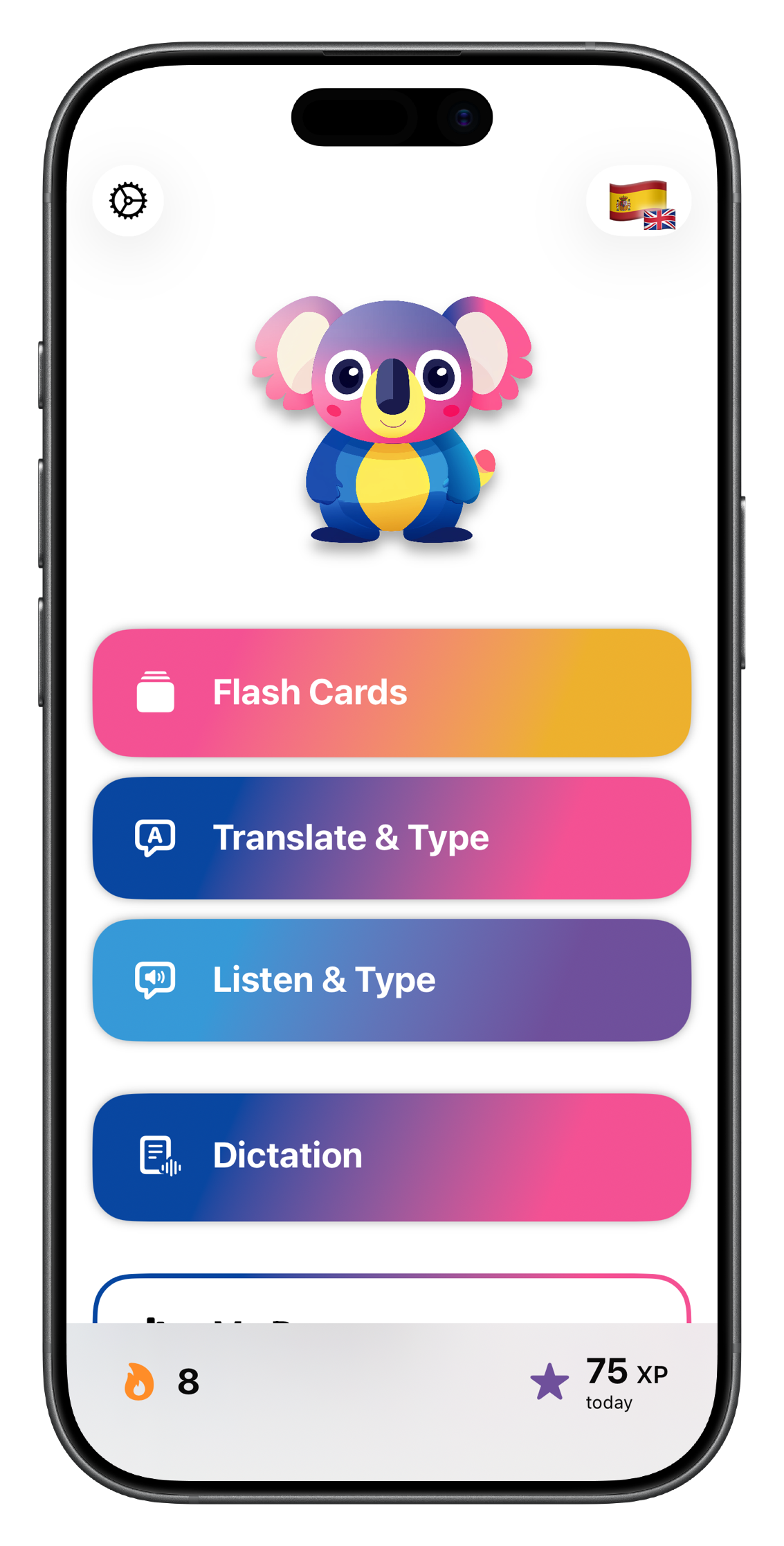
Lingoala
Scan. Practice. Learn.
The vocabulary app that works with your textbook.

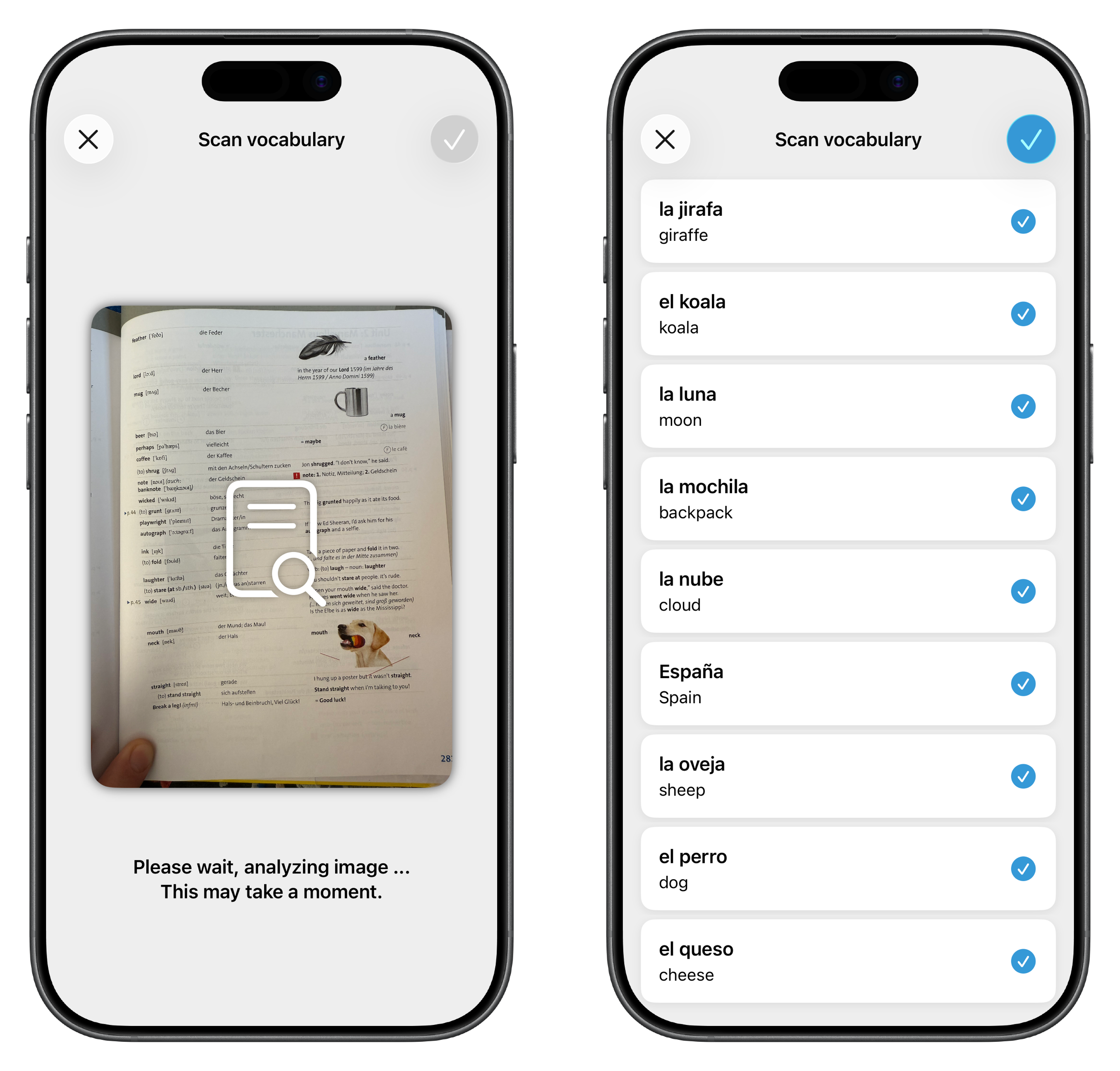
Scan Your Schoolbooks
Turn any textbook or worksheet into a vocabulary list in seconds.
No more typing word lists by hand. Take a photo of a page, and Lingoala extracts the vocabulary automatically — ready to practice right away.
- Works with any textbook or worksheet
- AI-powered extraction of words, translations and example phrases
- Supports the actual school curriculum
Three Ways to Practice
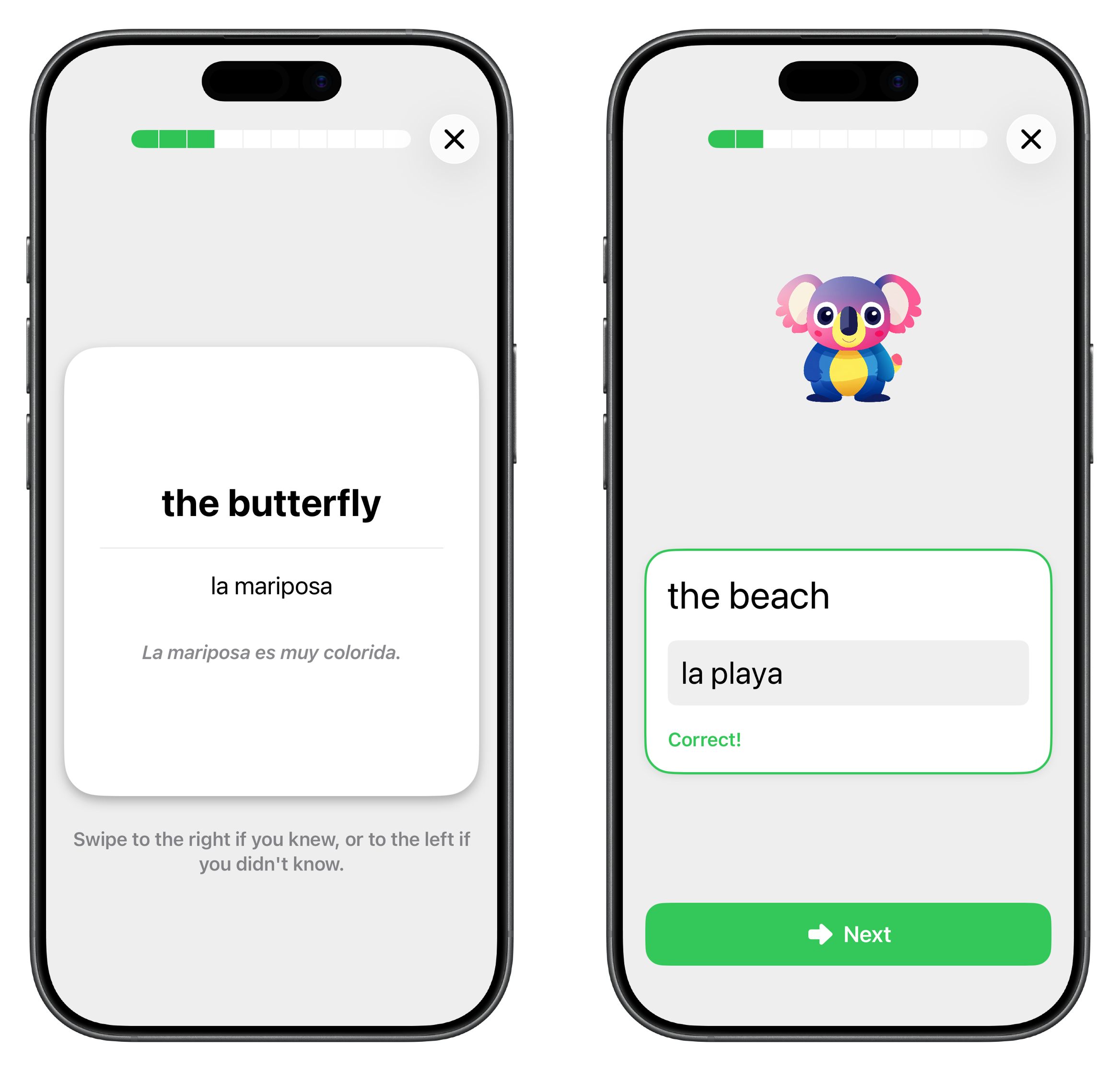
Flash cards, vocabulary tests, and listening exercises — all in one app.
Different exercises keep practice interesting and train different skills: quick recall with flash cards, active typing with vocabulary tests, and spelling through listening exercises.
- Flash cards for fast review
- Vocabulary tests: see a word, type the translation
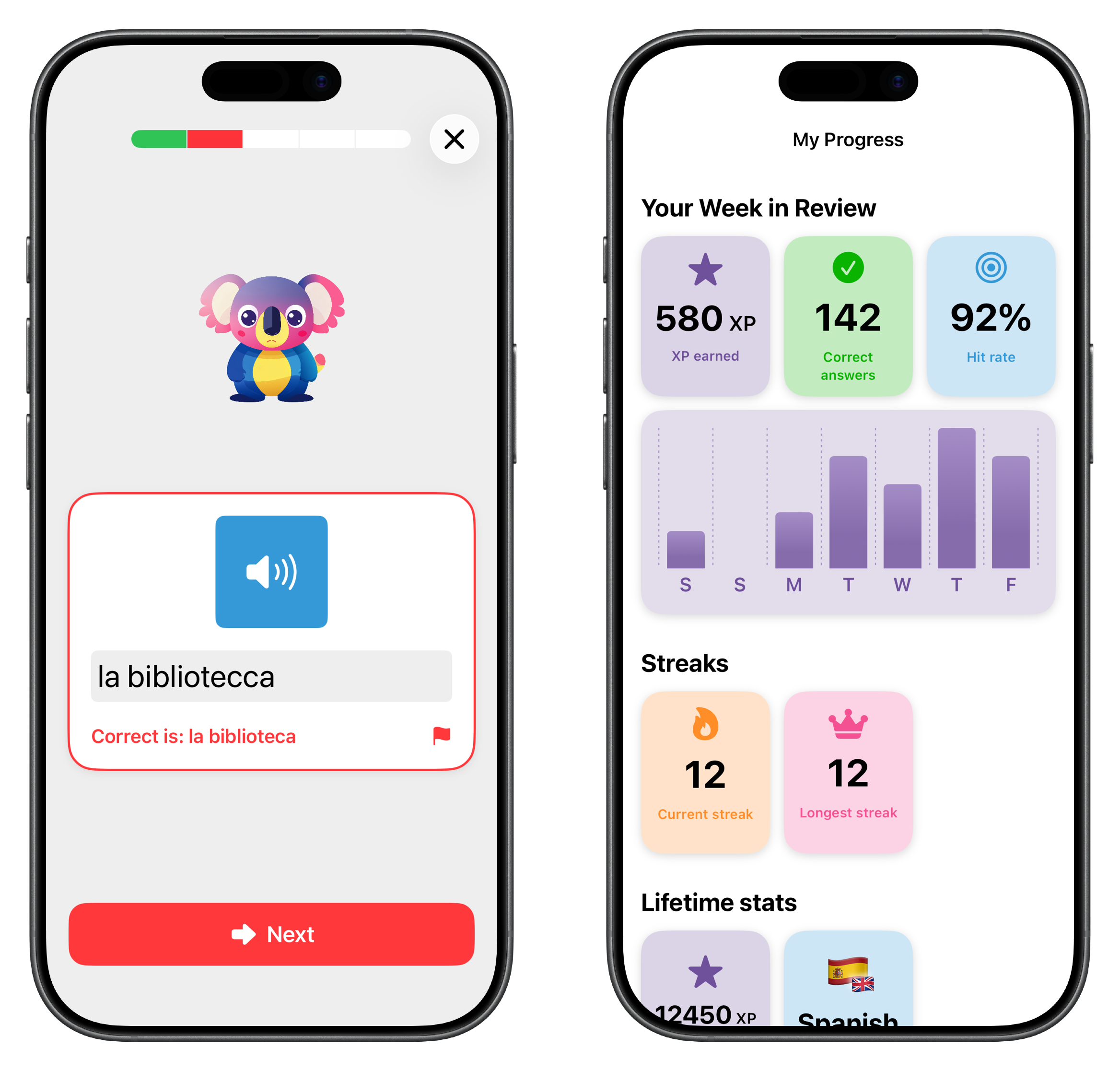
- Listen & Type: hear a word, write the spelling
Adaptive Practice
Difficult words come up more often — automatically.
Lingoala tracks which words your child gets wrong and prioritizes them in future sessions. Less time on easy words, more time where it matters.
- Focuses on words that need more work
- Makes every practice session count
- Builds long-term retention
AI-Powered Dictation
Practice listening and spelling with custom dictation texts.
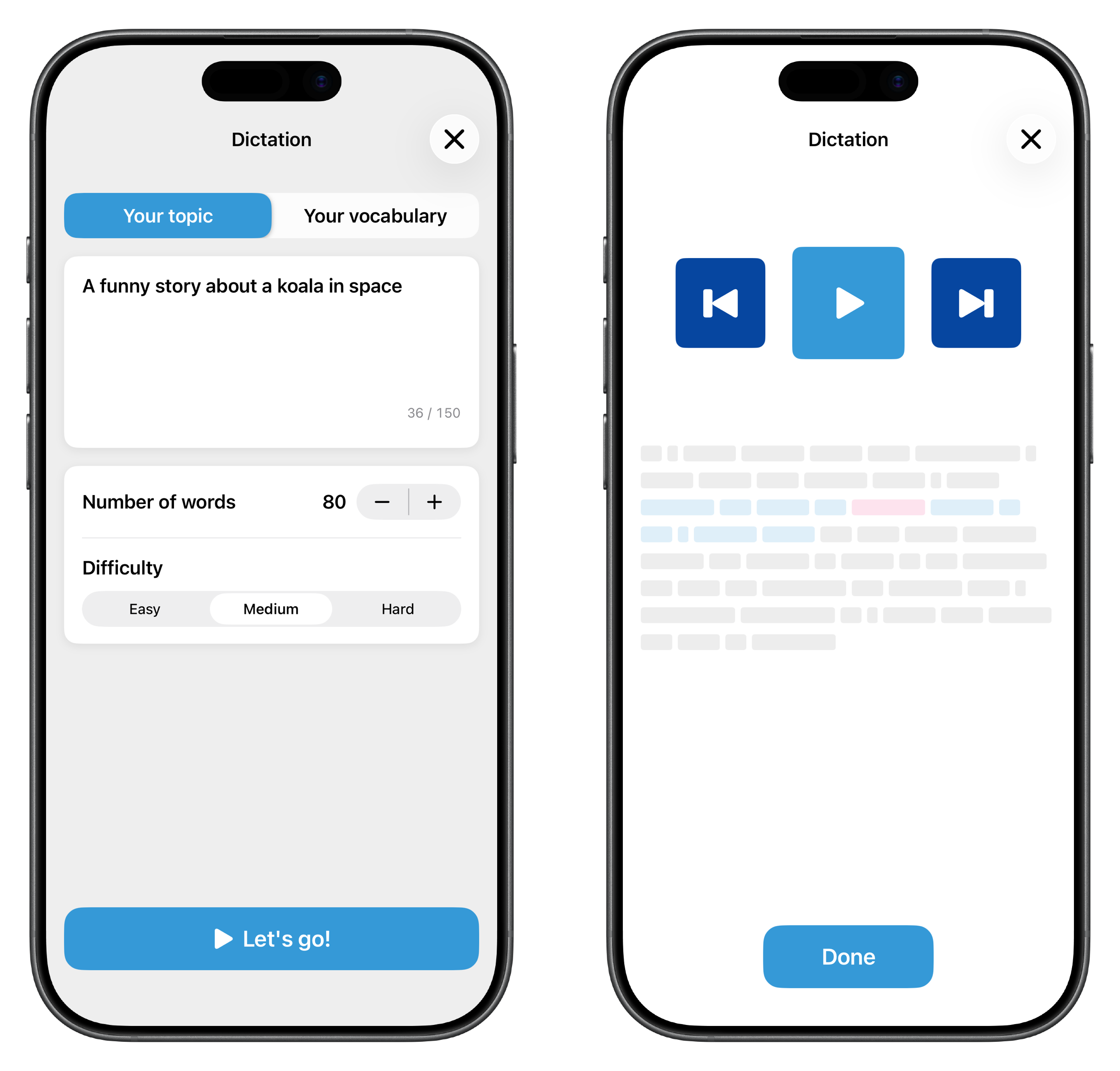
Generate dictation exercises using your child’s own vocabulary lists, or pick any topic — pirates, space, animals, whatever they’re into. Great for practicing spelling tests.
- Uses your own vocabulary or any topic
- AI-generated texts with audio playback
- Trains listening and spelling together
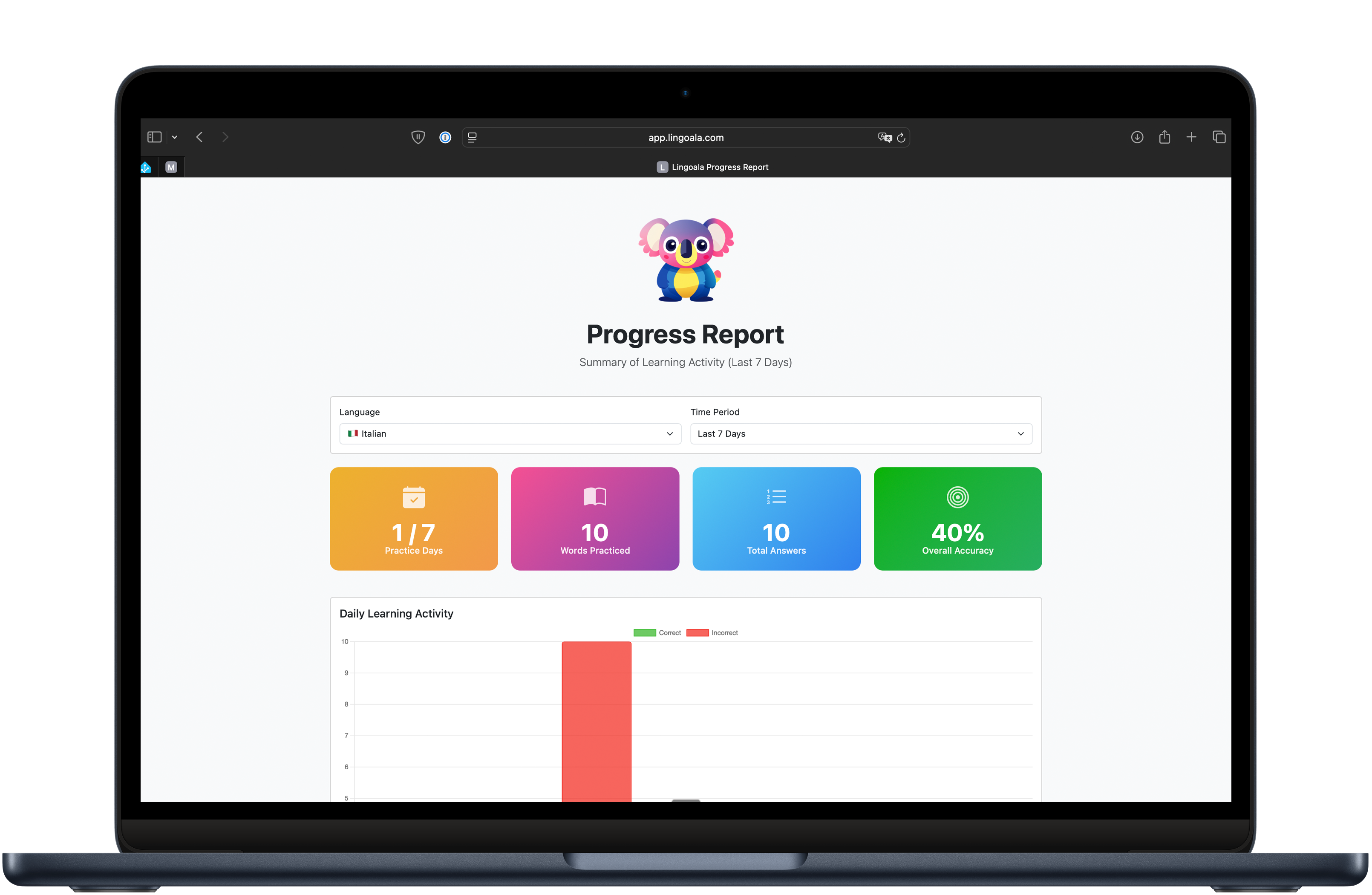
Progress Reports for Parents
See how much your child has practiced — and how it's going.
Generate a private web link to a dashboard showing practice activity, streaks, and results broken down by day and exercise type. No app install needed for parents.
- Track daily activity and streaks
- See correct vs. incorrect answers by exercise type
- Secure, shareable web link